Best Client Portal Software for Agencies

 Agency Management11 min read
Client portal software for agencies falls into three real categories: dedicated portal tools, workspace-style project tools with client guest access, and full agency suites, and the right pick depends entirely on your client volume, not your feature wish list. The strongest options for 2026 combine deep white-label branding with genuine permission control, not just a client login screen bolted onto an internal tool, and for agencies running client campaigns rather than one-off projects, this list doubles as the best client portal for marketing agencies specifically, since approval speed and reporting visibility matter more here than almost anywhere else.
None of it is difficult work, but it adds up to hours every week that an account manager could be spending on the client relationship instead of client admin. This guide compares the strongest client portal software for agencies in 2026, explains the framework for choosing between them, and is honest about what each one actually costs once you’re managing a realistic number of clients rather than the two or three shown in the vendor’s demo.
What Is Client Portal Software, and Do You Actually Need One?
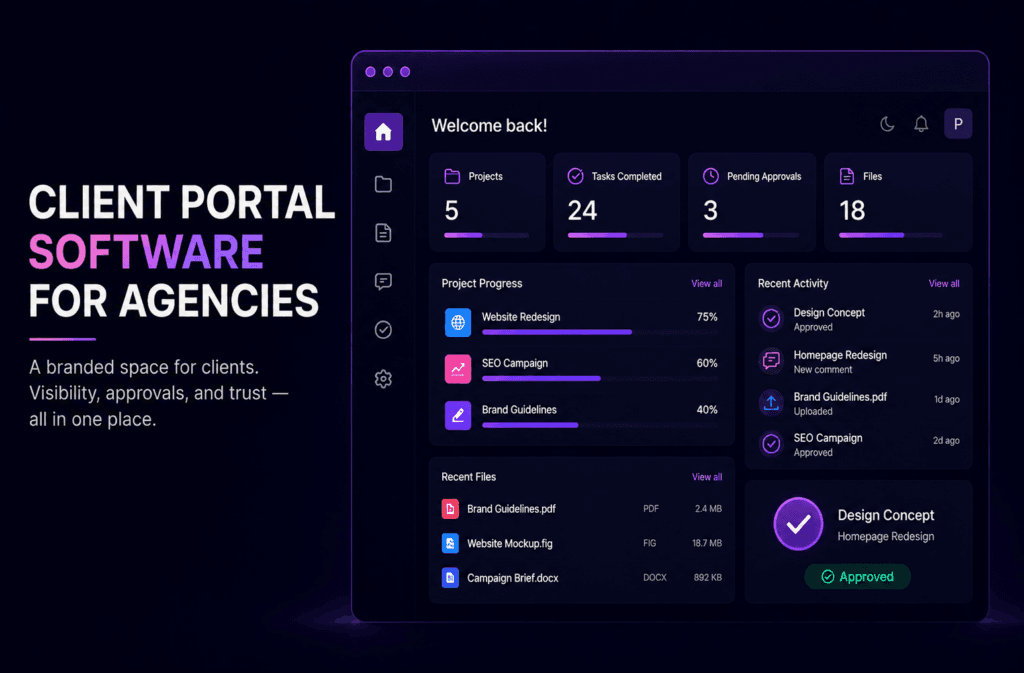
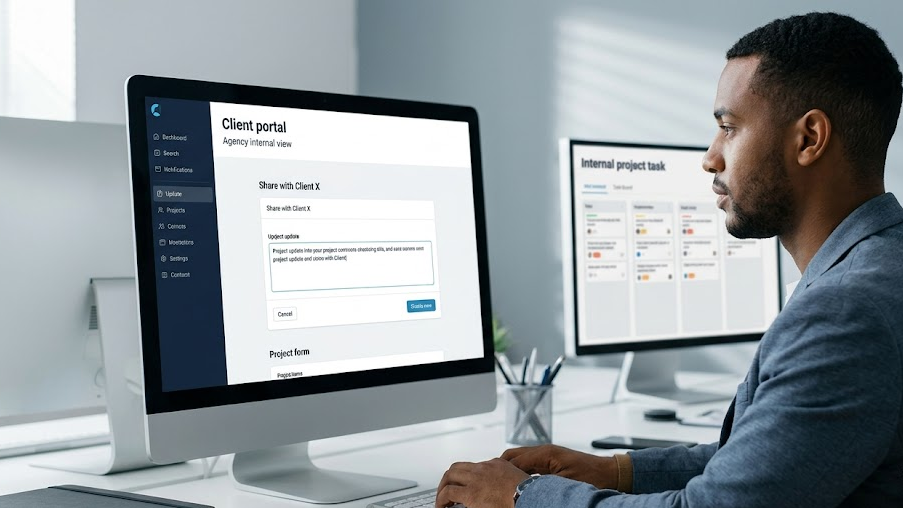
Client portal software, sometimes searched for as software for sharing project updates with clients, is a branded, permissioned space where clients log in to view progress, approve deliverables, download files, and communicate with your team, without needing email or internal system access. That’s the precise definition, and it matters because the term gets used loosely.
A generic project management tool’s “client view” or guest access is not the same thing. Most PM tools let you invite an external user into a slice of your workspace. It works, technically, but the client is usually looking at your interface, wearing your tool’s branding, with visibility into far more (or far less) than they should have. A true client portal is built around the client’s experience first: what they see, what they can act on, and how it looks when they see it. The real test is whether the client experience was designed on purpose, with its own branding, permission logic, and workflow for approvals, rather than being an afterthought layered on top of an internal tool built for your team.
You’re probably ready for a dedicated portal if any of the following sound familiar:
- You’re managing 10 or more active clients and status update requests are eating a noticeable chunk of your account managers’ week.
- Approvals routinely stall because they’re buried in an email thread rather than sitting in front of the client as a clear action item.
- Clients have started commenting on how “unbranded” or “clunky” the current process feels, particularly at the higher end of your client base.
If none of that rings true yet, and you’re only juggling a handful of clients, a project tool’s client view might genuinely be enough for now. The rest of this guide is for agencies past that point.
The Three Types of Client Portal Software (and Which One You Need)
Most comparison articles in this space list tools flat, with no structure to help you narrow things down first. That’s backwards. Before comparing specific products, it helps to know which category you actually need.
Dedicated Portal Software
Purpose-built tools such as Clinked, SuiteDash, and Copilot exist solely to give clients a branded, self-service space. They typically offer the deepest white-label options and the most granular permission controls, because that’s the entire point of the product. The trade-off is that they usually sit alongside your existing project management tool rather than replacing it, so you’re running two systems.
Workspace-Style Tools
These are project management or collaboration tools where clients join as guests inside your existing workspace. Setup is faster because there’s nothing new to learn internally, and you avoid paying for a second platform. The trade-off is a less polished, less “branded” feel, since the client is essentially a visitor inside your tool rather than a resident of their own space.
Full Agency Suites
Platforms that bundle CRM, billing, invoicing, and a client portal into one system, useful if you’re trying to consolidate several separate tools into a single subscription. The portal element is often less deep than a dedicated portal product, but the operational simplicity of one login and one bill can outweigh that for smaller agencies.
Keep this framework in mind as you read the comparison below. A tool that’s the “best” dedicated portal software is not automatically the right choice if what you actually need is a full suite, or vice versa.
How Zynito approaches agency operations → Zynito About Us page
The Best Client Portal Software for Agencies in 2026
Here’s how the strongest options compare, including where each one sits within the three categories above.
| Tool | Category | Best for | Standout feature | Pricing reality | Honest trade-off |
| Clinked | Dedicated portal | Agencies wanting a polished, fully branded client experience | White-label mobile app on its top (Enterprise) tier | Plans scale by storage and user count; costs climb quickly for agencies with many active clients | Feature-rich but can feel like overkill for smaller agencies that just need approvals and file sharing |
| Zynito | Workspace-style | Agencies wanting internal project management and a client-facing view in one platform | Client dashboard and portal features built directly into the same workspace your team already uses | Positioned in the affordable-to-mid-range bracket, with white-label features still being expanded | Genuinely useful if you want one tool for both internal and client-facing work, though its white-label depth doesn’t yet match dedicated specialists like Clinked or SuiteDash |
| SuiteDash | Full agency suite | Agencies wanting CRM, billing, and portal in one subscription | Extensive white-label depth, including custom domain, at a comparatively low entry price | The breadth of features means a steeper learning curve during setup | Powerful once configured, but the sheer number of modules can slow initial onboarding |
| Copilot | Dedicated portal | Agencies and service businesses wanting a clean, modern client-facing UI | Native billing and forms built directly into the client-facing portal | Pricing is per internal seat rather than per-client – plans include a set number of users, with each additional user billed separately | Less customisation depth than Clinked or SuiteDash for complex permission structures |
| Taskip | Dedicated portal | Smaller agencies wanting a lightweight, affordable branded portal | Simple, fast client onboarding with minimal setup time | Genuinely low starting price, but some white-label elements sit behind higher tiers | Lighter feature set means it may not scale comfortably past a mid-sized client roster |
| FuseBase | Workspace-style | Agencies wanting client collaboration alongside internal project work | AI-assisted document and knowledge base features inside the client space | Mid-range pricing that increases with more advanced automation and AI features | Straddles workspace-style and dedicated portal, so branding depth is good but not the deepest available |
| Agiled | Full agency suite | Agencies wanting CRM, invoicing, contracts, and a portal together | Wide feature bundle covering most agency back-office functions in one place | Competitive entry pricing for the breadth of features included | The client portal itself is one module among many, so it’s less refined than dedicated portal tools |
Compare Zynito’s plans and features → Zynito Projects page
What Makes a Client Portal Genuinely White-Label
Finding genuinely white-label client portal software is harder than the marketing pages suggest, “white-label” gets used loosely across this category, and the distinction is worth being precise about before you commit to anything
True white-label means all of the following:
- A custom domain. Clients log in at something like portal.youragency.com, not the vendor’s own domain.
- A branded login page. Your logo, your colours, no visible trace of the underlying software.
- Branded notification emails. Status updates and approval requests arrive from your agency, not from the vendor’s system.
- No vendor logo anywhere. Not in a footer, not on a loading screen, not in a settings menu the client might stumble into.
“Branded” is a lighter version of this, usually just your logo and colour palette layered over the vendor’s own interface, still running on the vendor’s domain, still sending emails from the vendor’s system. It looks fine at first glance, but it falls apart the moment a client’s stakeholder notices the URL or the sender address doesn’t match your agency.
This distinction matters more the higher up the market you operate. A client paying a premium retainer expects the experience around the work to feel as considered as the work itself. Finding out, three months in, that “branded” didn’t mean what you assumed is a bad moment to have in a client relationship you’ve worked hard to build.
What to Check Before You Buy: A Practical Framework
Once you’ve narrowed down the category and shortlisted a couple of tools, run each one through these four checks before committing.
Permission Granularity
Can access be scoped precisely, per client, per stakeholder, per project, rather than as a single blunt “client” role that sees everything or nothing? Agencies working with clients who have multiple internal stakeholders, some senior, some not, need the ability to show different people different things without creating a separate account structure to manage it manually.
Approval and Feedback Workflows
Can a client actually approve a deliverable and leave feedback inside the portal itself, or does that step still happen over email once they’ve viewed the file? A portal that shows work but doesn’t capture the approval defeats much of the purpose, since you’re still chasing a “yes, that’s approved” reply in a separate inbox.
Reporting and Dashboards
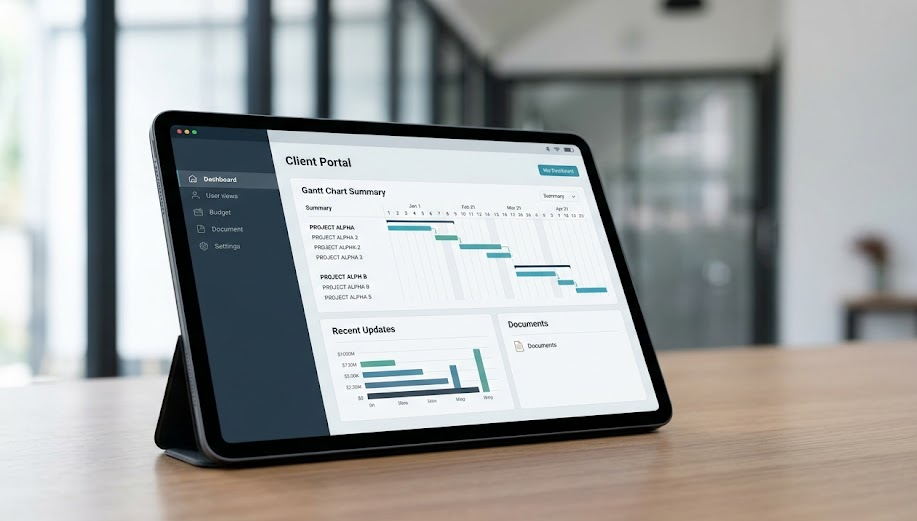
The best client dashboard software for agencies shows live project or campaign status, updating as work progresses, rather than acting as static file storage with a login screen attached. Among client reporting portal tools, the ones worth paying for give clients a genuine, current view of where things stand, which is what actually stops the “any update?” messages.
Real Cost at Your Client Volume
Model pricing at 5, 15, and 30 active clients before you decide anything. A tool that looks cheap for a handful of clients can become one of your largest software costs once per-client or per-seat fees are applied at scale. This single check catches more bad decisions than any feature comparison.
See how Zynito’s pricing compares → Zynito Pricing page
Common Mistakes Agencies Make When Choosing a Client Portal
A few patterns show up repeatedly when agencies pick the wrong tool:
- Choosing based on the longest feature list. A portal with fifty features you’ll never use isn’t better than one with the twelve features your clients actually interact with. A long feature list is easy to demo and hard to justify on an invoice six months later.
- Assuming “branded” means “white-label.” This is the single most common surprise agencies report, usually discovered when a vendor logo turns up somewhere a client can see it, often in an email footer nobody thought to check before rollout.
- Underestimating per-client or per-seat pricing at scale. A plan that’s genuinely affordable at 5 clients can become expensive at 30, and that gap is rarely obvious from the pricing page alone, since most vendors lead with the smallest, cheapest tier.
- Skipping the trial with real client data. Testing a portal with two dummy projects tells you almost nothing about how it holds up once thirty clients, several stakeholders each, and genuine file volumes are running through it. Trial it with an actual client if you can, even just one.
FAQs
- What is client portal software?
Client portal software is a branded, permissioned online space where clients view project progress, share files, approve work, and communicate with an agency, without needing email or access to internal tools. It centralises client-facing communication in one self-service location.
- Is Notion or Google Drive a client portal?
Not really. Both can be shared with clients as a workaround, but neither offers proper branding, permission scoping, or approval workflows. They function as makeshift file storage rather than a genuine client-facing portal.
- Do agencies really need a dedicated client portal?
It depends on client volume and how much manual status-updating already happens. Agencies managing 10 or more active clients, or facing frequent approval bottlenecks, usually see the clearest benefit from a dedicated tool.
- What’s the difference between a white-label and a branded client portal?
True white-label includes a custom domain, branded login, and branded notification emails, with no vendor logo anywhere. A “branded” portal usually just adds your logo and colours on top of the vendor’s own domain and interface.
- What features should I prioritise when choosing a client portal?
Permission granularity, approval workflows, live reporting or dashboards, and genuine white-label depth, roughly in that order of importance for most agencies weighing up their options.
- Can client portal software replace a project management tool entirely?
Usually not. Most portals focus on the client-facing layer, communication, files, and approvals, rather than full internal task and resource management. Some platforms, Zynito Projects among them, combine both in a single workspace.
- Is there a free client portal software for agencies?
Several tools offer free tiers, but these are typically limited to a small number of clients or projects and lack full white-label branding. They can work as a starting point, but most agencies outgrow them quickly.
The Bottom Line
A proper client portal pays for itself in reclaimed account manager hours within the first few months, once you stop resending files and chasing approvals by hand. Work out which of the three categories fits your agency, check permission granularity and true white-label depth before you commit, and model the cost against your real client roster rather than the number on the pricing page.
If you want to see what a client dashboard and portal built into the same workspace your team already uses looks like in practice, start a free trial of Zynito and give your clients a proper, branded, self-service view of their projects, without another round of email back-and-forth.
Ready to Give Your Clients a Better Experience?
Start a free trial of Zynito and give every client a proper, branded, self-service view of their projects, built into the same workspace your team already uses, so updates, approvals, and files live in one place instead of scattered across email.
Run your agency from one platform
Projects, client communication, and team chat together in Zynito.