
Slack vs Zynito
Features, pricing and which to choose, for agencies that juggle chat, projects, clients, time tracking and HR.
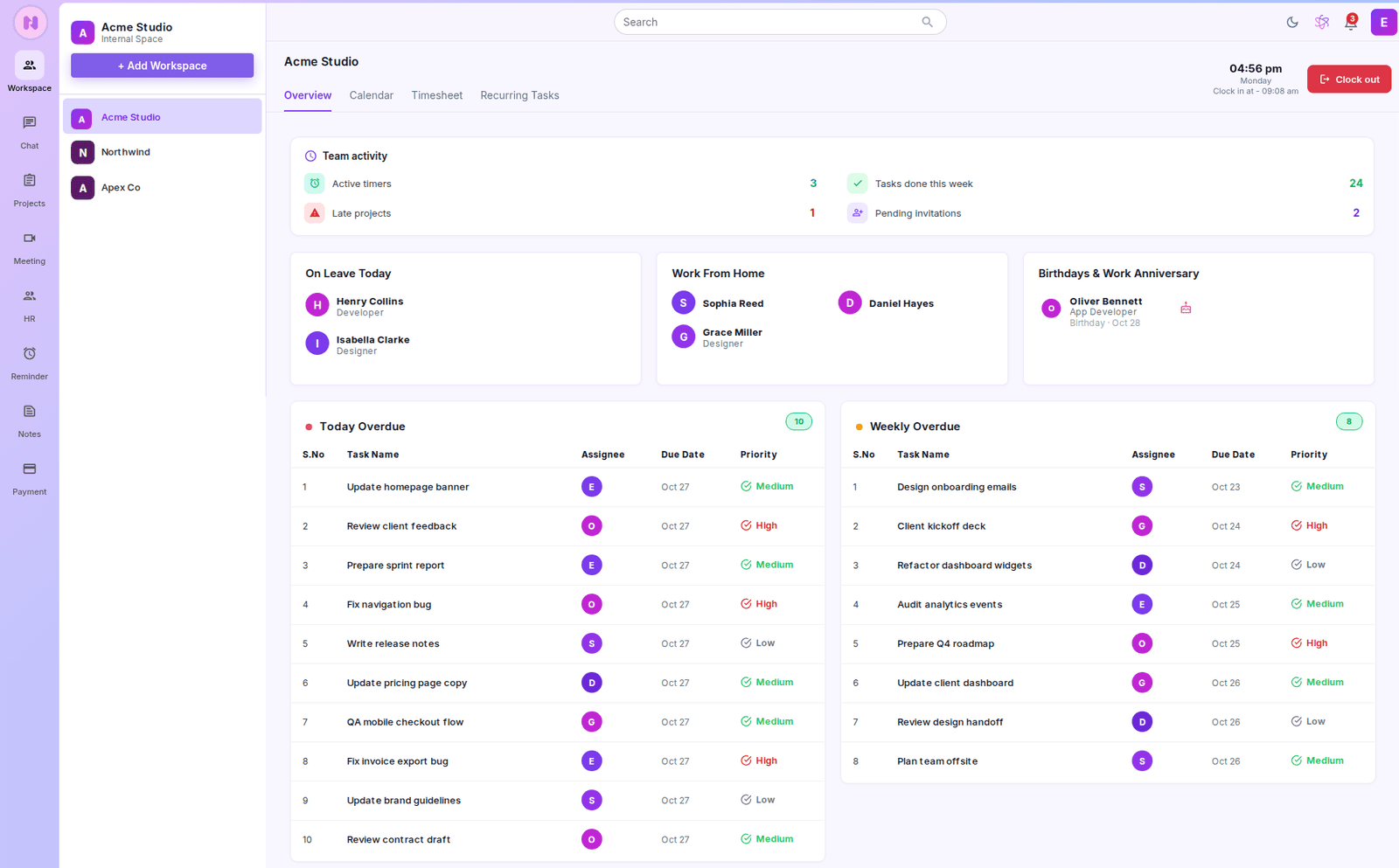


Slack is a team messaging platform built around channels, with integrations that connect it to other business tools. Zynito Chat is the Zynito product that compares directly with Slack. Zynito as a whole is an agency workspace that brings team communication together with project delivery, client collaboration, time tracking, meetings and HR.
Agencies often look for a Slack alternative when conversations, project tracking, time tracking and client updates are spread across separate tools. The right choice depends on how your team works. Slack is a strong option if you prioritize messaging and a broad range of third-party integrations. Zynito may suit agencies that want more of their daily operations in one workspace.
Quick verdict

Choose Slack
Your priority is team messaging and integrations with the tools your team already uses.

Choose Zynito Chat
You want team messaging with meetings and shared channels at a lower price than Slack Pro, and you do not depend on Slack’s app directory.

Choose the Zynito Bundle
Your agency also needs project management, client access, partner-company collaboration, time tracking and HR in one workspace, and would otherwise pay for those tools separately.

Use both
Keep Slack for messaging while managing project delivery through Zynito.
Slack vs Zynito: feature comparison
Team chat: the main differences
These rows cover the chat differences that matter most to agencies. For the full messaging comparison, see Slack vs Zynito Chat.
| Capability | Zynito | Slack |
|---|---|---|
| Audio and video | Audio and video calls from chat, plus Zynito Meet for instant or scheduled meetings, guest access and screen sharing | Huddles, with one-to-one calls on Free and group Huddles on paid plans |
| External collaboration | Zynito Connect for shared channels with another organization | Slack Connect for messaging and shared channels with external organizations (one-to-one only on Free) |
| Third-party integrations | No third-party app directory currently | More than 2,600 apps, with limits on Free and unlimited apps on paid plans |
| Sign-in and security | Google and Apple sign-in, two-factor authentication, device controls, country restrictions and IP allowlists | Two-factor authentication; SAML-based SSO and additional security controls on higher plans |
Beyond chat: projects, clients, time and HR
These capabilities come with Zynito Projects Pro and the Bundle. Slack’s pricing page lists some of them only partly or not at all.
| Capability | Zynito | Slack |
|---|---|---|
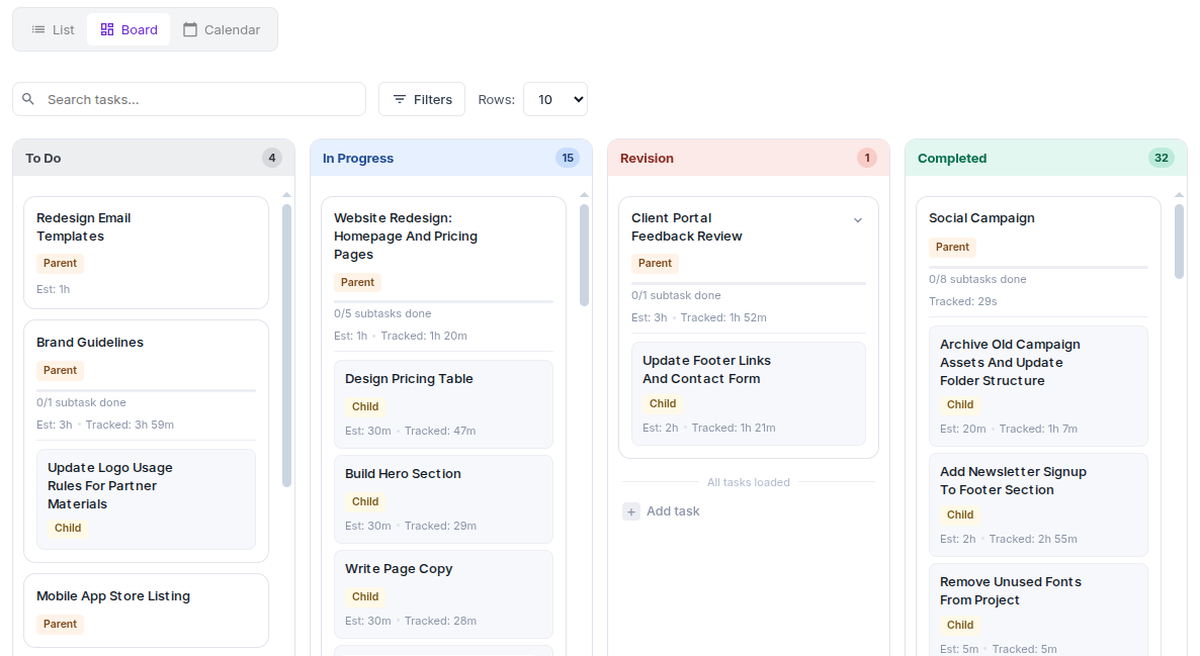
| Client access | Add clients to projects and control access to project chat, files, tracked time and estimates | External communication through Slack Connect |
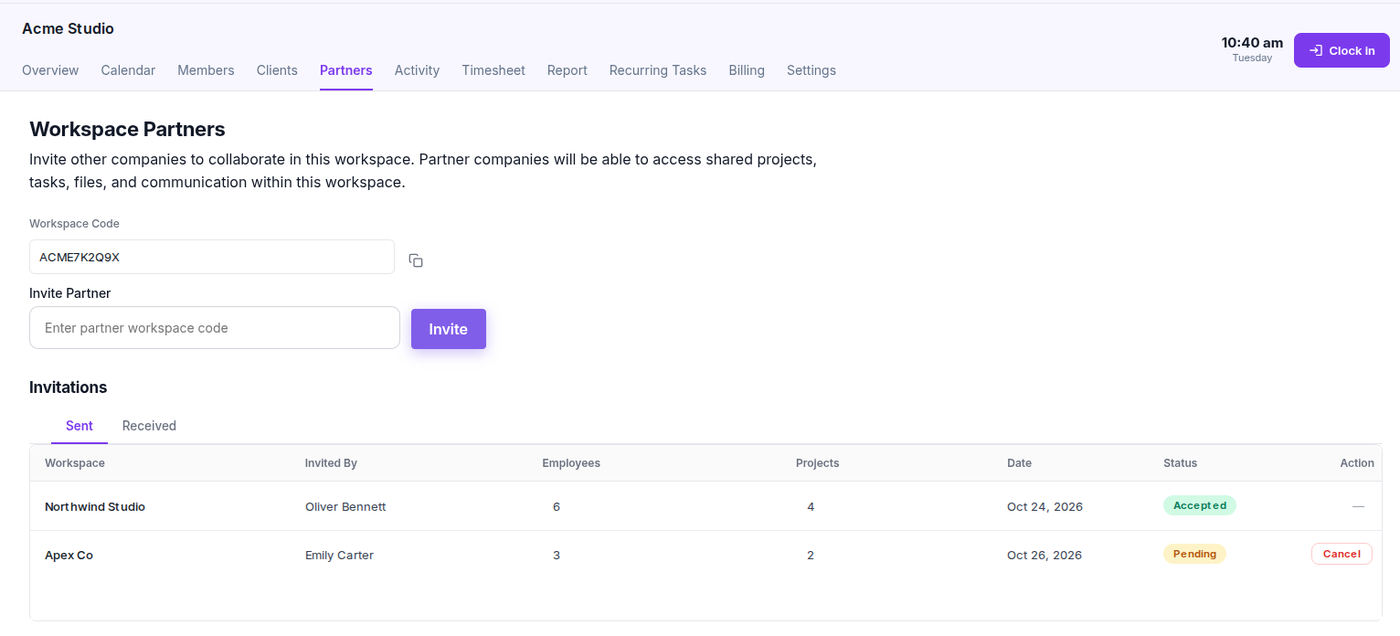
| Partner-company projects | Partner Company Management for sharing projects, allocating partner staff and tracking their hours, with custom display names so clients see only the names and roles you choose | Shared communication through Slack Connect |
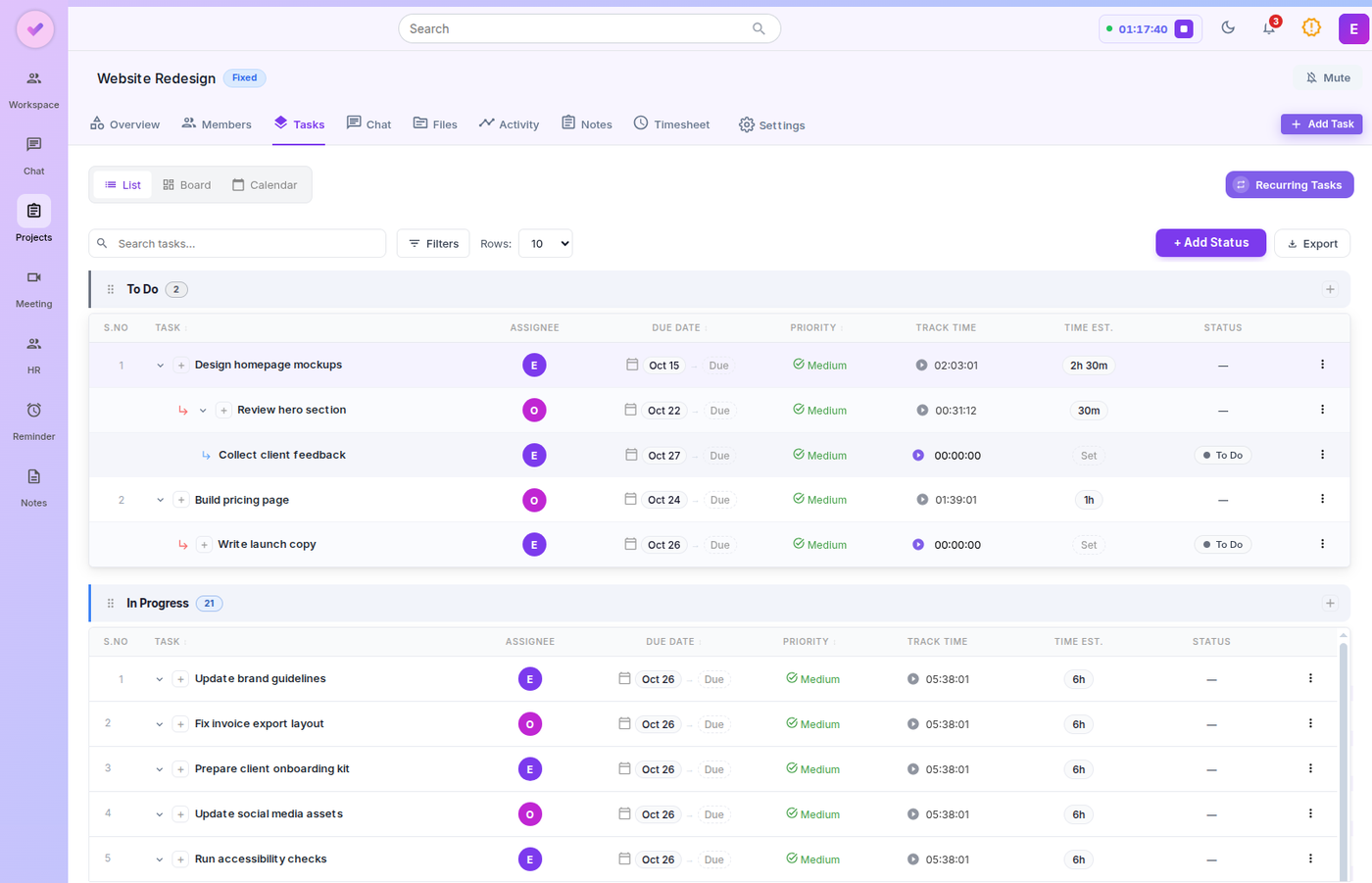
| Project management | Projects, tasks, subtasks, custom statuses, list and board views, recurring tasks, notes, files and AI project summaries | Lists and Canvases on paid plans |
| Time tracking | Task timers, a global timer, time logs, timesheets and time reports | No built-in time tracking listed on Slack's pricing page |
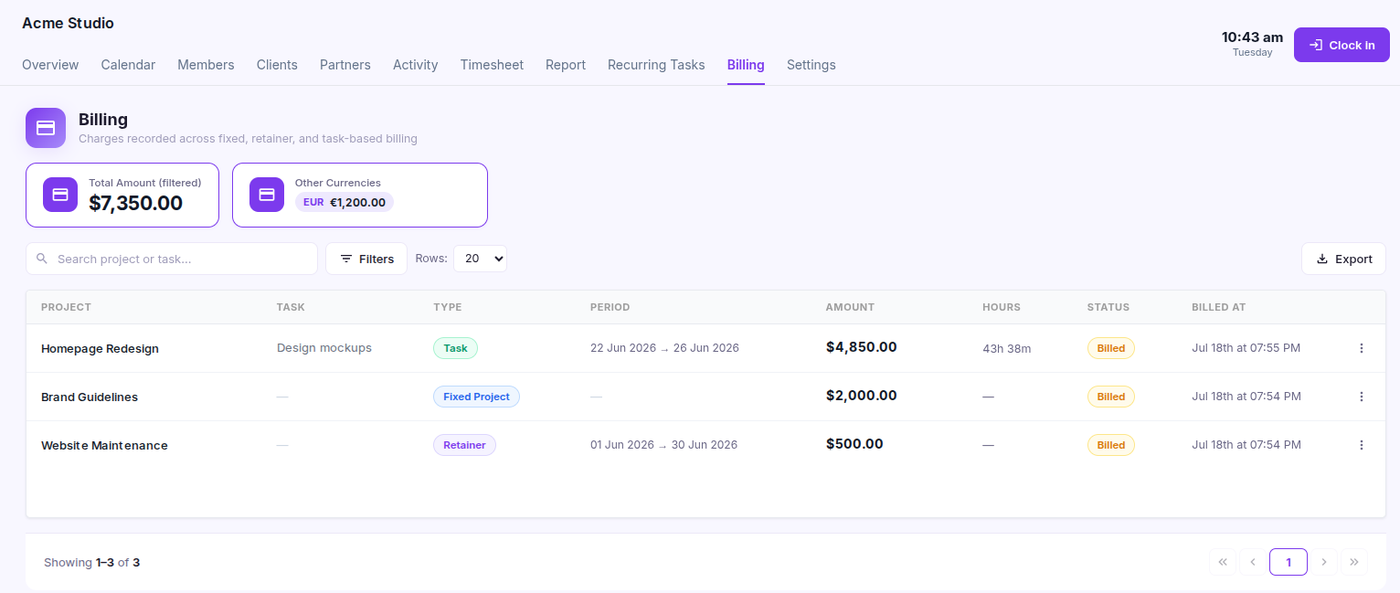
| Project billing | Fixed-price, task-based and retainer billing records | No built-in project billing listed on Slack's pricing page |
| HR | Attendance, leave requests and balances, holidays and weekly offs | No built-in HR features listed on Slack's pricing page |
| Automation | Recurring tasks, project rules and event-based notifications | Workflow Builder on paid plans, with additional capabilities on higher plans |
Comparison notes: Features and limits vary by plan. Slack information is based on its official pricing page. “Not listed” means the capability is not presented as a built-in feature on that page; third-party apps may offer additional functionality.
Slack vs Zynito pricing
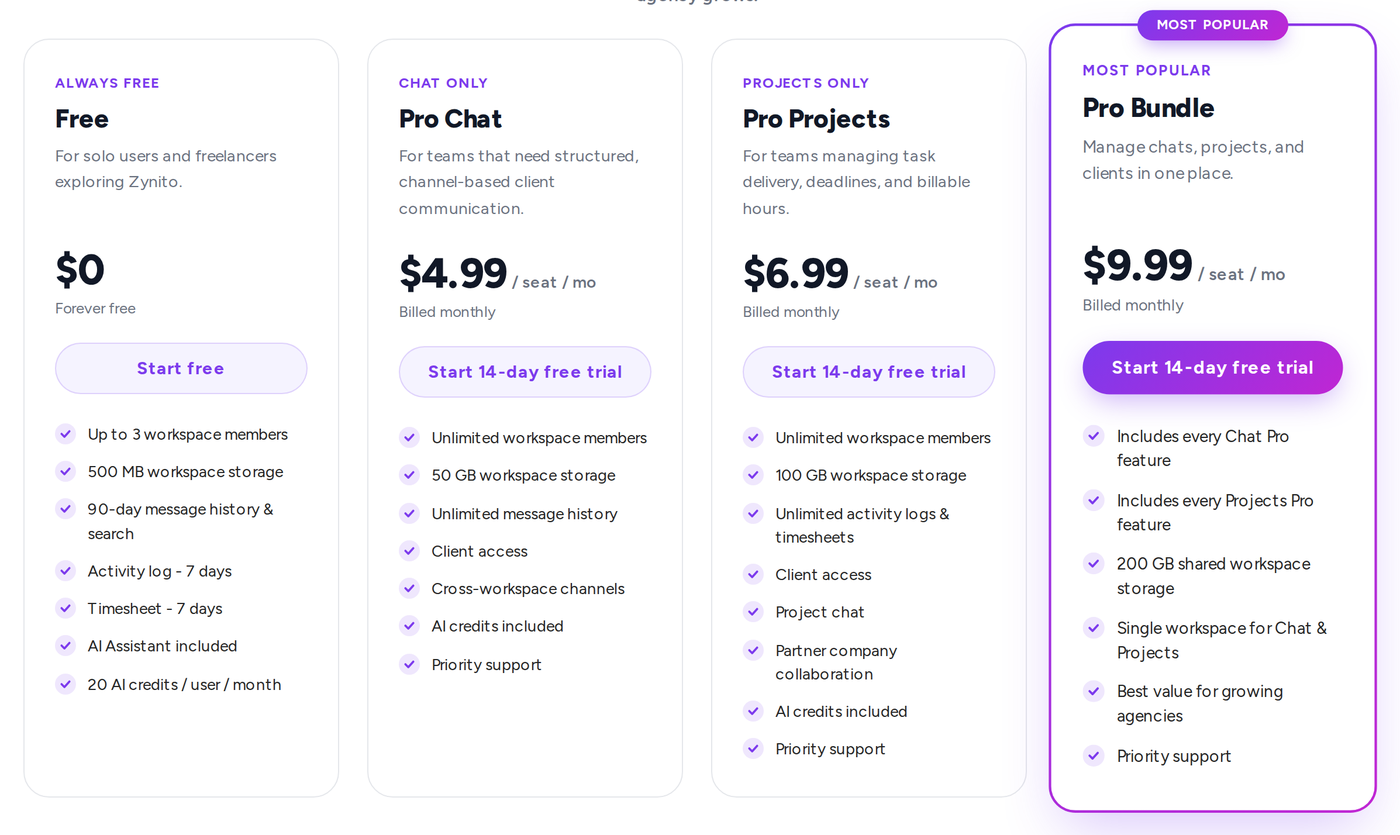
The short answer: For messaging only, Zynito Chat Pro costs $4.99 per seat per month, compared with $8.75 for Slack Pro on monthly billing; see Slack vs Zynito Chat for that comparison. Zynito Bundle Pro costs $9.99 per seat per month, which is more than Slack Pro, but it adds project management, time tracking, client access, meetings and HR that Slack does not list as built-in features.
Prices below are in US dollars per user or seat per month. Annual prices show the monthly equivalent when billed annually.
Side-by-side plan pricing
| What you need | Zynito plan | Zynito price (monthly / annual) | Slack plan | Slack price (monthly / annual) |
|---|---|---|---|---|
| Free plan | Free | $0 / $0 | Free | $0 / $0 |
| Team chat | Chat Pro | $4.99 / $3.99 | Pro | $8.75 / $7.25 |
| Project delivery without chat | Projects Pro | $6.99 / $5.59 | No separate project plan | Not applicable |
| Chat, projects, time tracking, client access, meetings and HR | Bundle Pro | $9.99 / $7.99 | Pro, with messaging, Lists and Canvases | $8.75 / $7.25 |
| SAML-based single sign-on | Not currently offered | Not applicable | Business+ | $18 / $15 |
Slack Business+ also includes advanced AI features such as AI search and Slackbot. Source: Slack’s official pricing page, checked October 25, 2026.
What each plan includes
- Zynito Free: Up to 3 workspace members, 500 MB storage, 90-day message history and search, and 7 days of activity log and timesheets.
- Zynito Chat Pro: Team chat, Zynito Connect, AI writing tools and Meet.
- Zynito Projects Pro: Projects, tasks, time tracking, client collaboration, Partner Company Management, Meet and HR.
- Zynito Bundle Pro: Chat Pro and Projects Pro together.
- Slack Free: 90-day message history, up to 10 apps and one-to-one Huddles.
- Slack Pro: Unlimited message history and apps, group Huddles, Lists, Canvases and Workflow Builder.
- Slack Business+: SAML-based SSO, advanced AI features and expanded data export capabilities.
Zynito Meet and HR do not require a separate subscription when included in the relevant Zynito plan.
What 10 seats cost
| Plan for 10 seats | Monthly billing | Annual billing, monthly equivalent | Annual total |
|---|---|---|---|
| Zynito Chat Pro | $49.90 | $39.90 | $478.80 |
| Zynito Bundle Pro | $99.90 | $79.90 | $958.80 |
| Slack Pro | $87.50 | $72.50 | $870.00 |
For messaging alone, Zynito Chat Pro costs about 43% less per seat than Slack Pro on monthly billing and 45% less on annual billing. For 10 seats, that is $391.20 less per year on annual billing.
Zynito Bundle Pro costs about 14% more per seat than Slack Pro on monthly billing and 10% more on annual billing. For 10 seats, that is $88.80 more per year on annual billing. The Bundle is not a cheaper Slack; it replaces Slack and the tools you would otherwise add alongside it. For a fair comparison, add your current costs for project management, time tracking and HR software to the Slack cost, then compare that total with Zynito Bundle Pro. Your actual savings will depend on the tools you use and the integrations you require.
How each product bills
Slack bills only active members, meaning people who have taken an action within a 28-day period. Zynito bills the seats you buy. You can add seats at any time with a prorated charge; reductions apply from the next billing period. Invited people who have not accepted yet do not use a seat.
Every Zynito Pro plan includes a 14-day free trial. See Zynito pricing for current plan details and limits, including Chat pricing and Projects pricing.
Teams in India can pay in rupees: Chat Pro is ₹299 per seat per month, or ₹239 per seat per month when billed annually. Projects Pro is ₹399 per seat per month, or ₹319 when billed annually. Bundle Pro is ₹599 per seat per month, or ₹479 when billed annually.
Pros and cons
Zynito
Pros
- Chat, project delivery, client collaboration, time tracking, meetings and HR in one workspace.
- Built-in timesheets and project billing records.
- Features for collaborating with partner companies on channels and projects.
- Client permissions for project communication, files, tracked time and estimates.
- Lower listed per-seat pricing than Slack Pro for chat-only use.
Cons
- No third-party app directory currently.
- No SAML-based single sign-on at present.
- Fewer advanced security and compliance controls than Slack offers on higher plans.
- Clients and partner companies may be more familiar with Slack.
- Both organizations need a Pro plan to use Zynito Connect.
- Bundle Pro has a higher per-seat price than Slack Pro.
Slack
Pros
- More than 2,600 third-party apps.
- Established messaging and external collaboration through Slack Connect.
- Lists, Canvases and Workflow Builder on paid plans.
- SAML-based SSO and advanced AI features on Business+.
- Useful for teams that already depend on Slack integrations.
Cons
- Higher listed per-user price than Zynito’s chat-only plan.
- Project delivery, time tracking, project billing and HR may require additional tools.
- The Free plan limits message history to 90 days and apps to 10.
- SAML-based SSO and advanced AI features require Business+.
Is Zynito a good fit for your agency?
Zynito is designed for agencies and service businesses that coordinate teams and deliver work for clients. It may suit your team if you:
- Manage multiple client projects and want tasks, discussions, files and tracked hours connected.
- Work with partner companies and need to share projects and track their hours.
- Want clients to access relevant project information with controlled permissions, with time records and billing information alongside delivery work.
Explore Zynito Projects or Zynito Chat to see which product fits your requirements.
Slack may be the better fit if your team depends on specific third-party integrations, requires SAML-based SSO or other security controls that Zynito does not currently offer, or mainly needs messaging with clients and partners who already use Slack Connect. If Slack already fits your workflows, switching may not be necessary.
Switching from Slack to Zynito
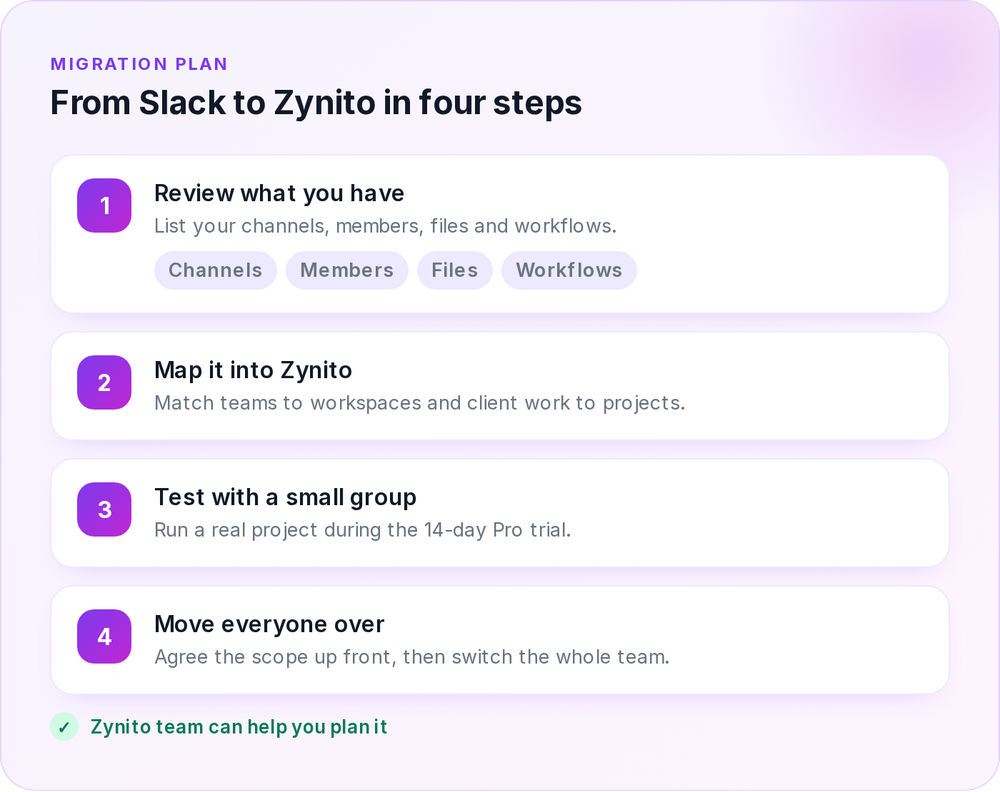
The Zynito team can help you assess and plan a migration from Slack or another collaboration tool.
A typical migration starts with reviewing your existing channels, members, files and workflows. The next steps are to map your teams and client work into Zynito, identify which data can be exported, and test the new setup with a small group before moving everyone.
Available export options depend on your Slack plan. Slack lists exports covering all messages, including private channels and direct messages, for Business+ and higher-level offerings. Not every item can necessarily be transferred automatically, so agree on the migration scope in advance.
You can run a real project during Zynito’s 14-day Pro trial before deciding whether to switch.
Frequently asked questions
Quick answers about Zynito, pricing and moving from Slack.
Try Zynito with your team
Start a 14-day trial of Pro features without a credit card. Test Zynito with a real project and see whether it fits your team’s workflow.
Sources
- Slack pricing and plan features, checked October 25, 2026.
- Zynito pricing and plan inclusions.